Week2: Motor & PID & Camera Pipeline
We solved the problems for week 1 and this week we will focus on how to get the vehicle to move successfully.
Documentation Progress
- Use the App called canva to design the poster.
Hardware Part Weekly Progress
The wiring diagram of Arduino
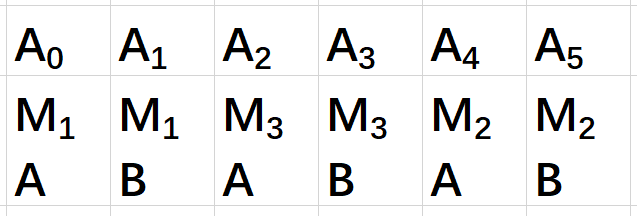
Embedded Part Weekly Progress
The framework diagram of code for Arduino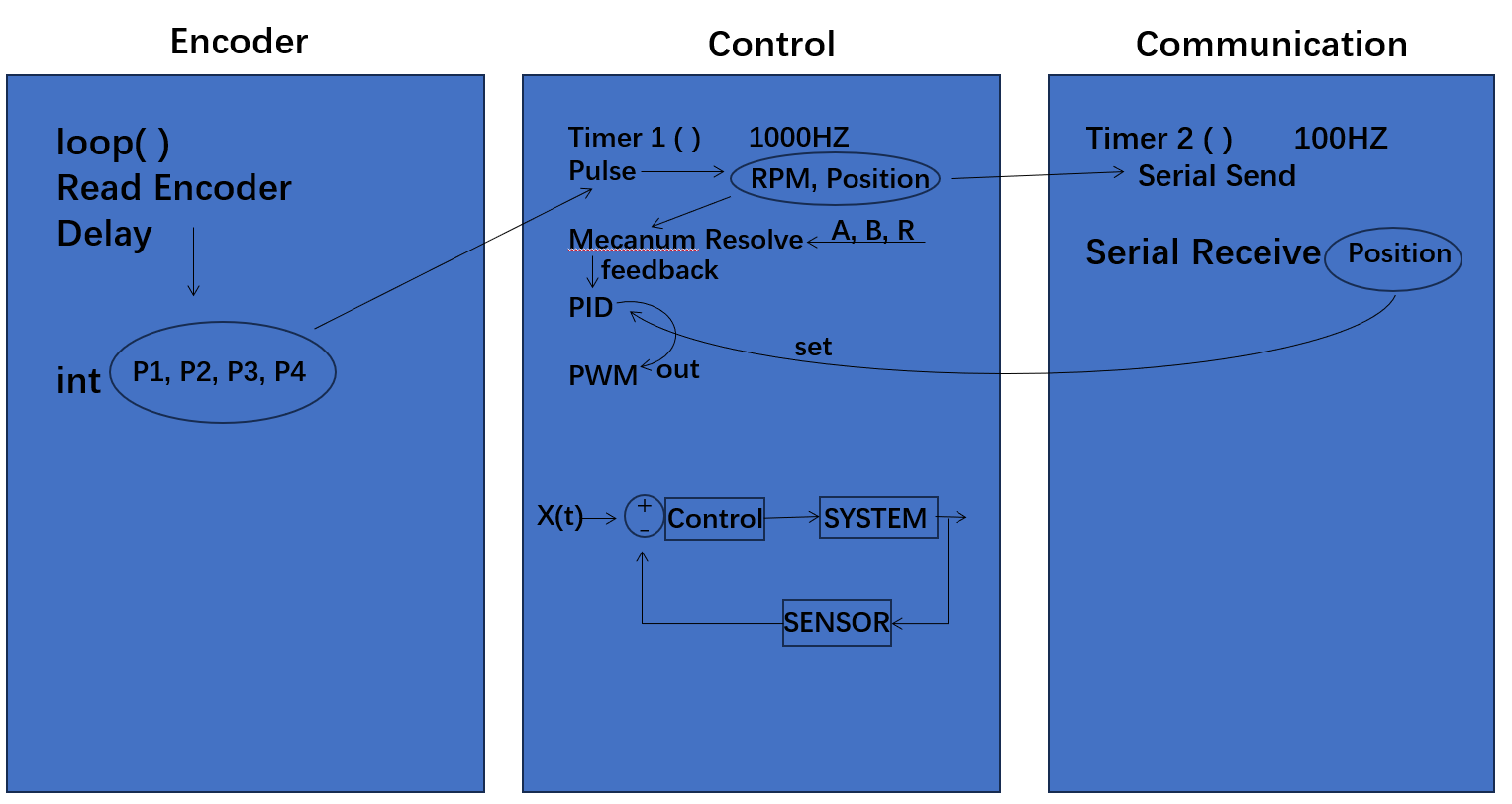
Complete the code of the car drive and basic positioning system. Connect and test the motherboard, ensuring a successful connection with the computer to confirm the proper functionality of the vehicle drive.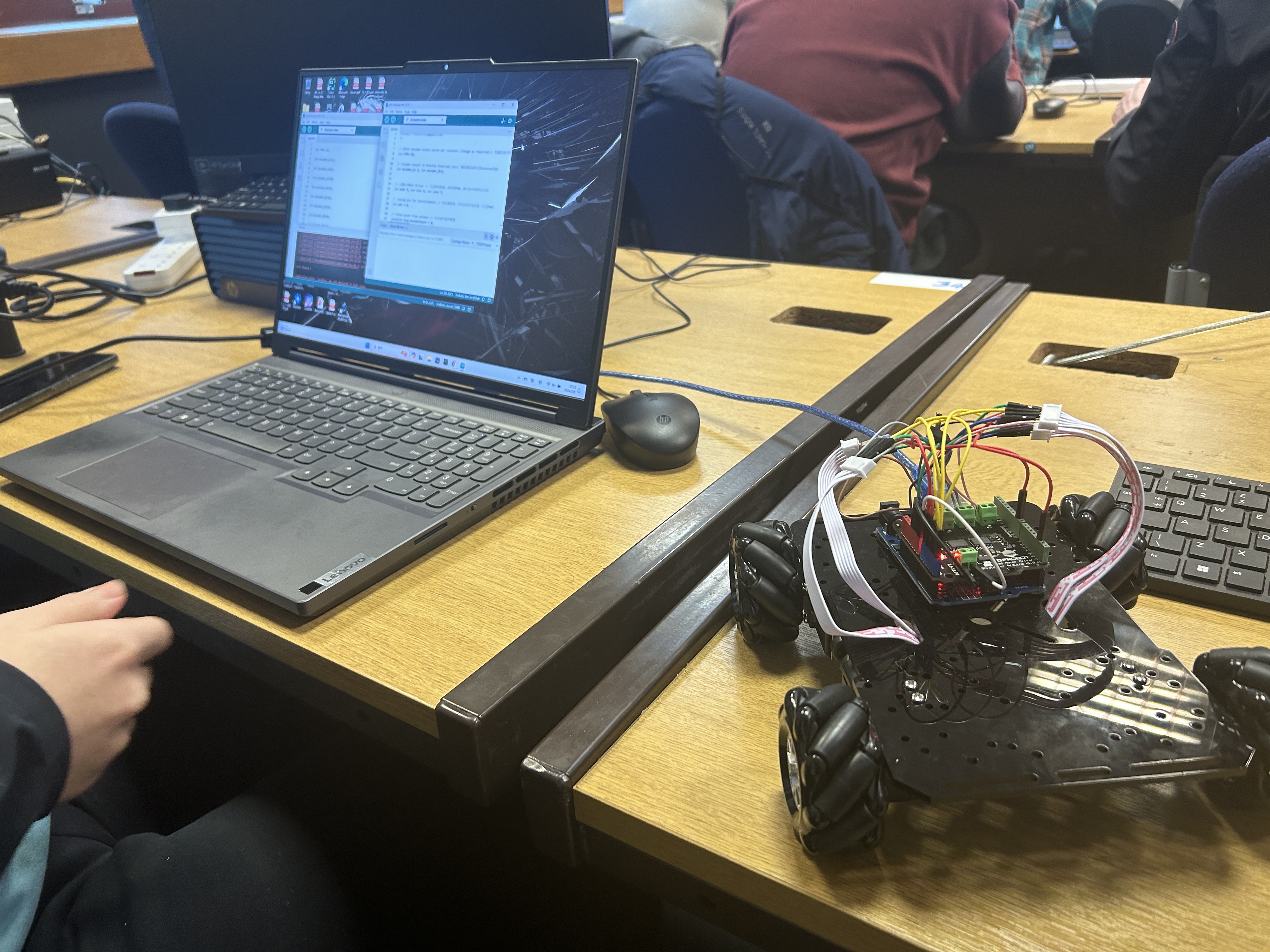
The output from the encoder as the wheel rotates.
Test the wheels to see if they turn properly one by one.
Test whether all four wheels rotate properly at the same time.
The vehicle is moving forward successfully.
ROS Part Weekly Progress
Using Camera calibration package to get the internal parameters of the Logitech C270 camera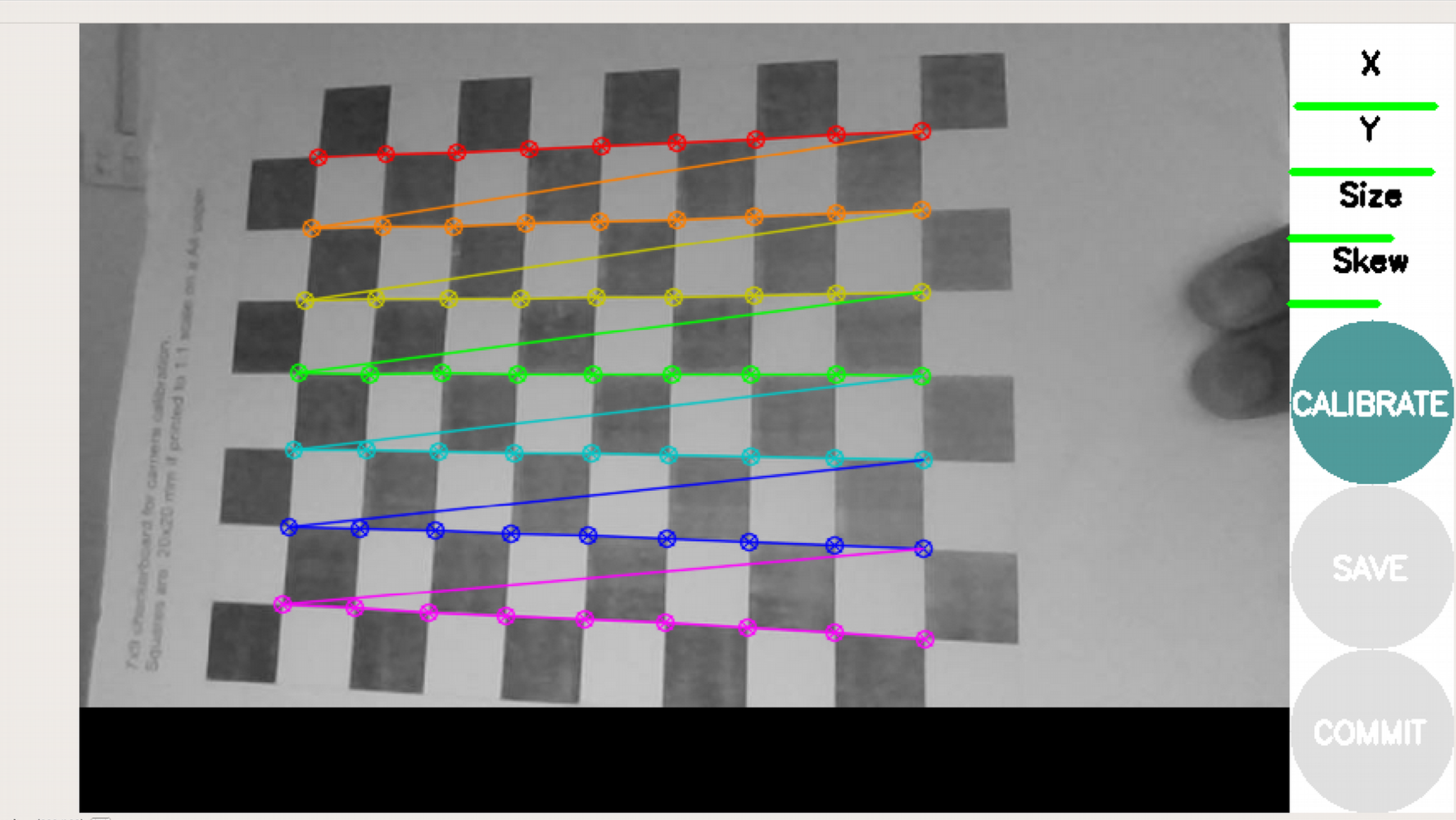
Tested the apriltag detection program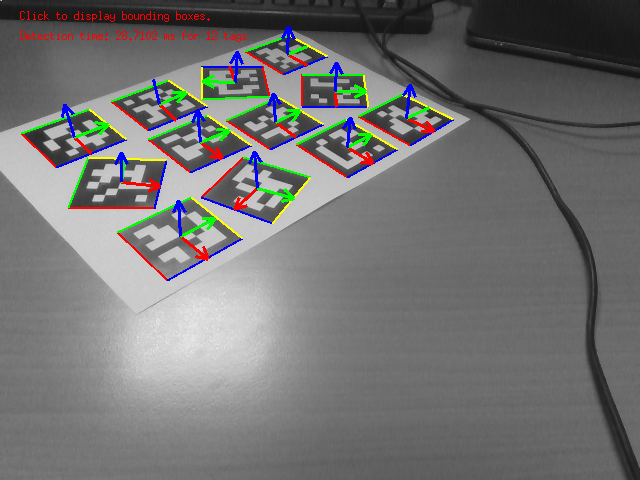
Problems
Wheel Installation Issue: During the testing of the four wheels, we found that one of the wheels rotates in the opposite direction compared to the other wheels. We reinstalled the wheels to ensure that all wheels rotate in the same direction.
Code Debugging: The control code underwent thorough scrutiny and refinement to ensure seamless synchronization between software control and hardware functionality.
Week 3 Plan
Integration of hardware and software.
Establish communication protocols to enable computer control of the vehicle.
Install a camera on the top of the car.
Complete the design of the poster and start the writing of the introduction part of the poster.